
|
||
SESReportBuilderOne of the most visible reporting improvements being introduced in SES Software is SESReportBuilder, a new application and report-generation engine designed to turn SES project data into structured engineering reports with much less manual assembly. Instead of requiring users to collect module outputs, export plots, copy report fragments, and format the final document manually, SESReportBuilder can start from a selected Job ID or F21 file, detect the available computation modules, apply a suitable study template, generate the required reports and figures, and assemble them into an editable draft report. The feature is important because it modernizes the reporting workflow at two levels. In integrated mode, SESReportBuilder can run behind the scenes from supported SES CDEGS applications, producing a partial or complete Word or PDF report directly from the current computation context. In standalone mode, it provides a dedicated report-building environment where users can select a template, generate assets, review the document outline, insert or remove generated results, adjust formatting, and export the final deliverable. This gives users a faster path to a standardized report while preserving engineering judgment and control over the final document. 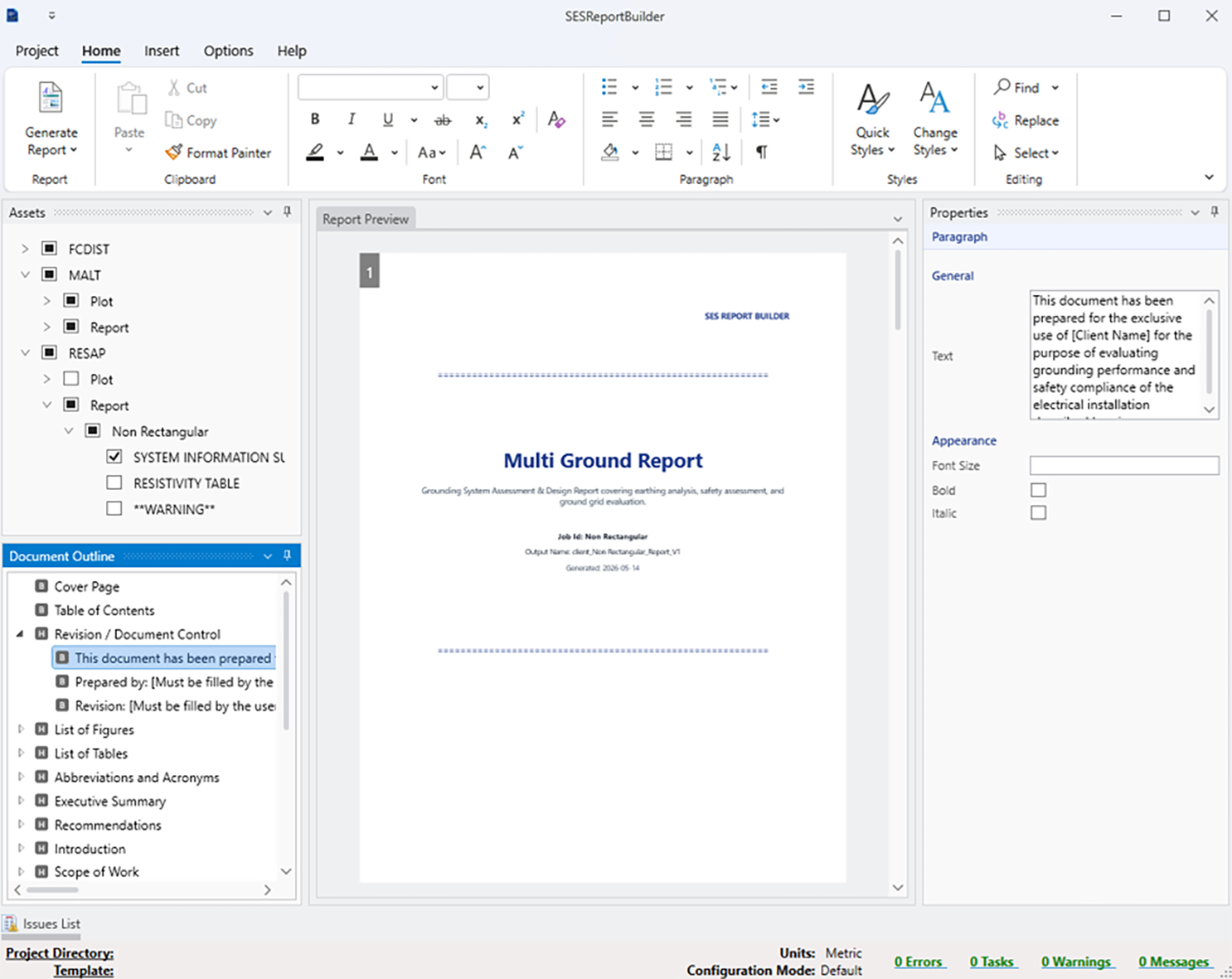
SESReportBuilder main editor with generated report preview, A second major improvement is the template-driven architecture. Study templates define required input files, expected outputs, default sections, boilerplate text, header and footer choices, branding elements, and placement rules for generated assets. Once a template exists, reports for similar studies can reuse a consistent structure, reducing omissions and formatting variation between projects. The template selection workflow also helps users confirm that the selected project contains the required inputs and shows the modules and assets detected for the Job ID before the report is built. SESReportBuilder also introduces a more transparent asset-generation pipeline. During report creation, the application scans the project structure, generates plots and report files, parses generated outputs, assembles intermediate artifacts, and validates the results. Generated content is organized as reusable assets, grouped by module and type, such as reports, plots, automatic results, metric results, or user-defined content. This asset-based workflow gives users a clear view of which results are available and which have already been inserted into the report. 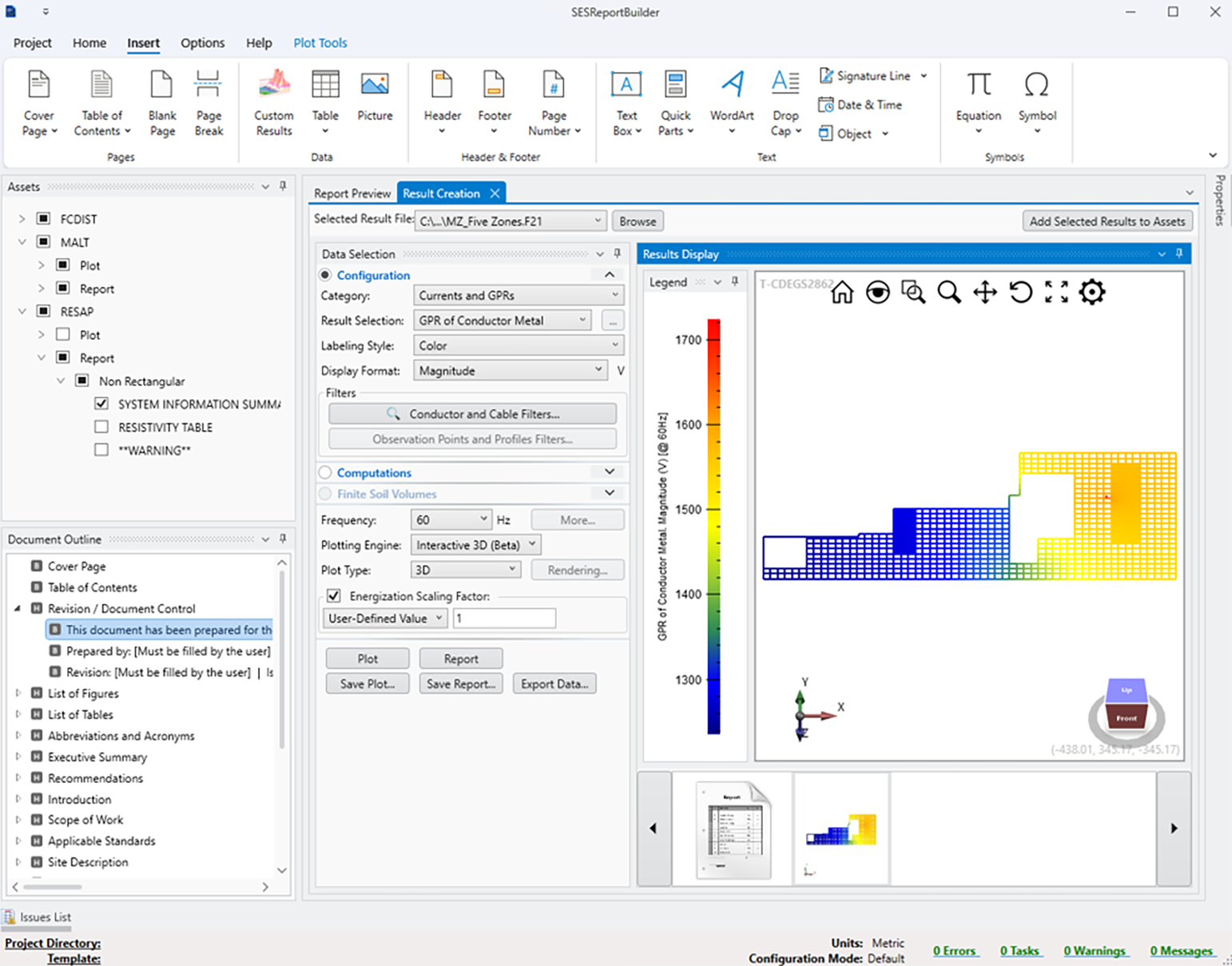
Result creation view showing interactive selection of The main editor is designed to feel familiar to users who prepare engineering documents in Word. It provides a WYSIWYG report preview, a synchronized document outline, an assets panel, a properties panel, and ribbon-based editing tools for text, paragraphs, styles, document elements, and find/replace. Users can reorganize report sections, insert custom or generated results, create additional plots from selected result files, and apply cover page and visual style presets. Together, these improvements should reduce reporting time, improve consistency across deliverables, and help SES Software produce more polished, modern, and client-ready engineering reports. See the article entitled “Introducing SESReportBuilder” in these Proceedings for further details. |
||
|
||
|
SES & technologies ltd. 3055 Blvd. des Oiseaux, Laval, Quebec, Canada, H7L 6E8 +1 (450) 622-5000 info@sestech.com ©2026 SafEngServices & technologies ltd. |